Relationship Chart Templates
Start from a finished relationship chart instead of a blank page. Each template is an original cast with labeled, one-direction arrows, so you can see how a two-way chart reads before you replace the names with your own. Open one in the editor, change anything, and export.
Pick by the scene
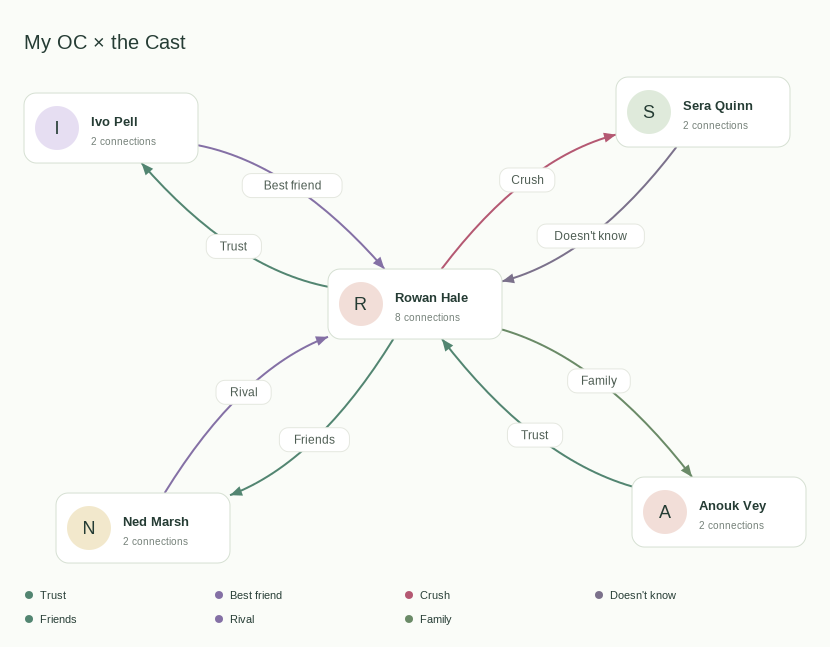
- One person at the center: OC
- Uneven feelings or a triangle: Love Triangle Ship
- Two camps: Story Cast, or Novel
- Side characters tied to each other: Relationship Web
- A circus or show cast: TADC Relationship Chart Template
- A survivor cast under pressure: Forsaken Relationship Chart Template
- A table party and its NPCs: D&D
- Three named groups on one map: Character Map
For the blank-canvas version of the same work, read the step-by-step guide.
 Save PNG
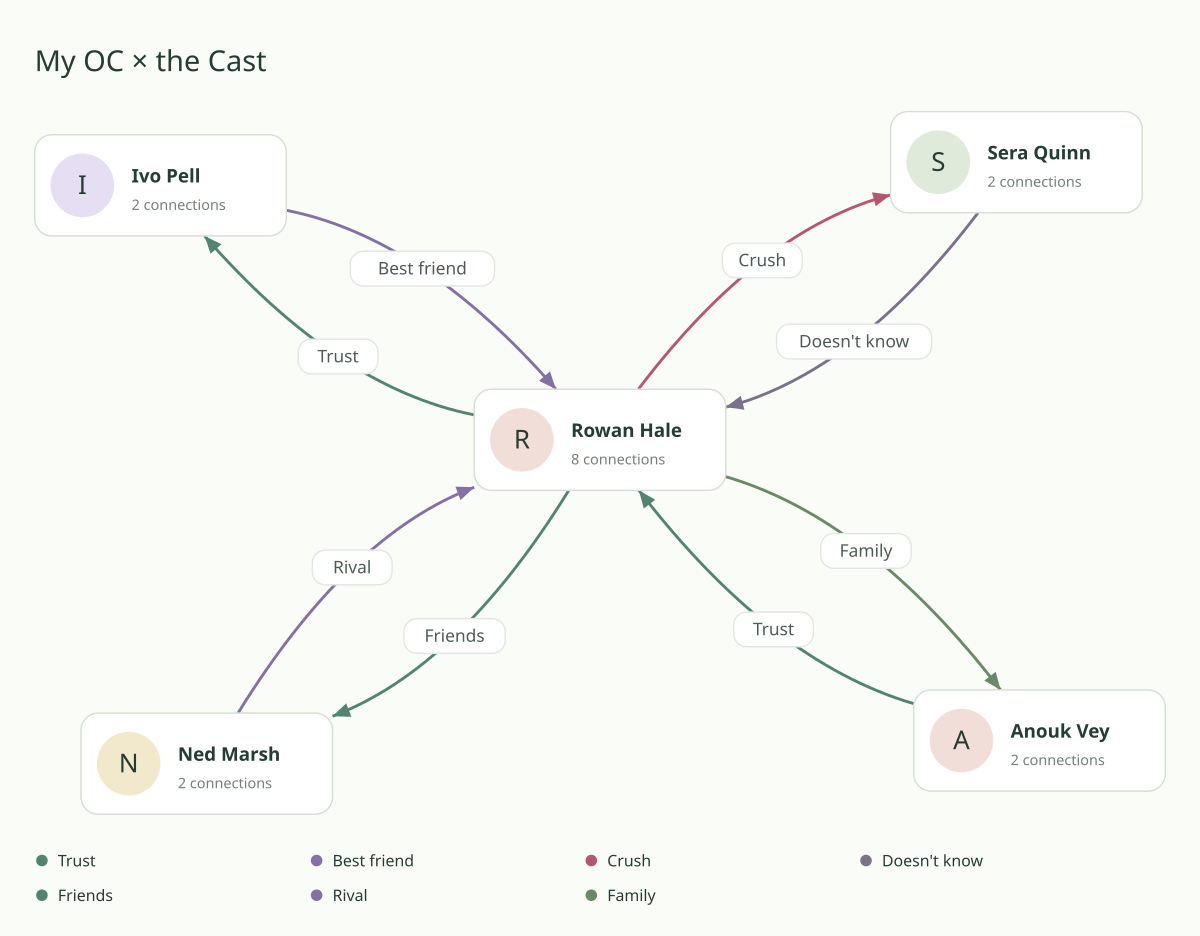
OC Relationship Chart Template
Open the OC chart when one original character is the center and each connection needs its own label in both directions. It is the useful start for a fanfiction insert, a roleplay character walking into an existing cast, or a protagonist whose ties have started to feel interchangeable. You rename Rowan, keep or replace the four people around them, and set those connections before you add a larger cast.
Open in the editor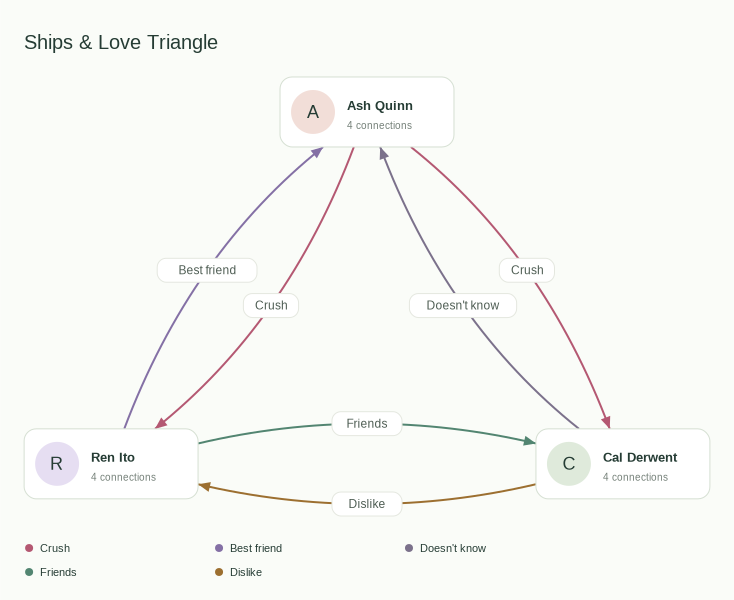 Save PNG
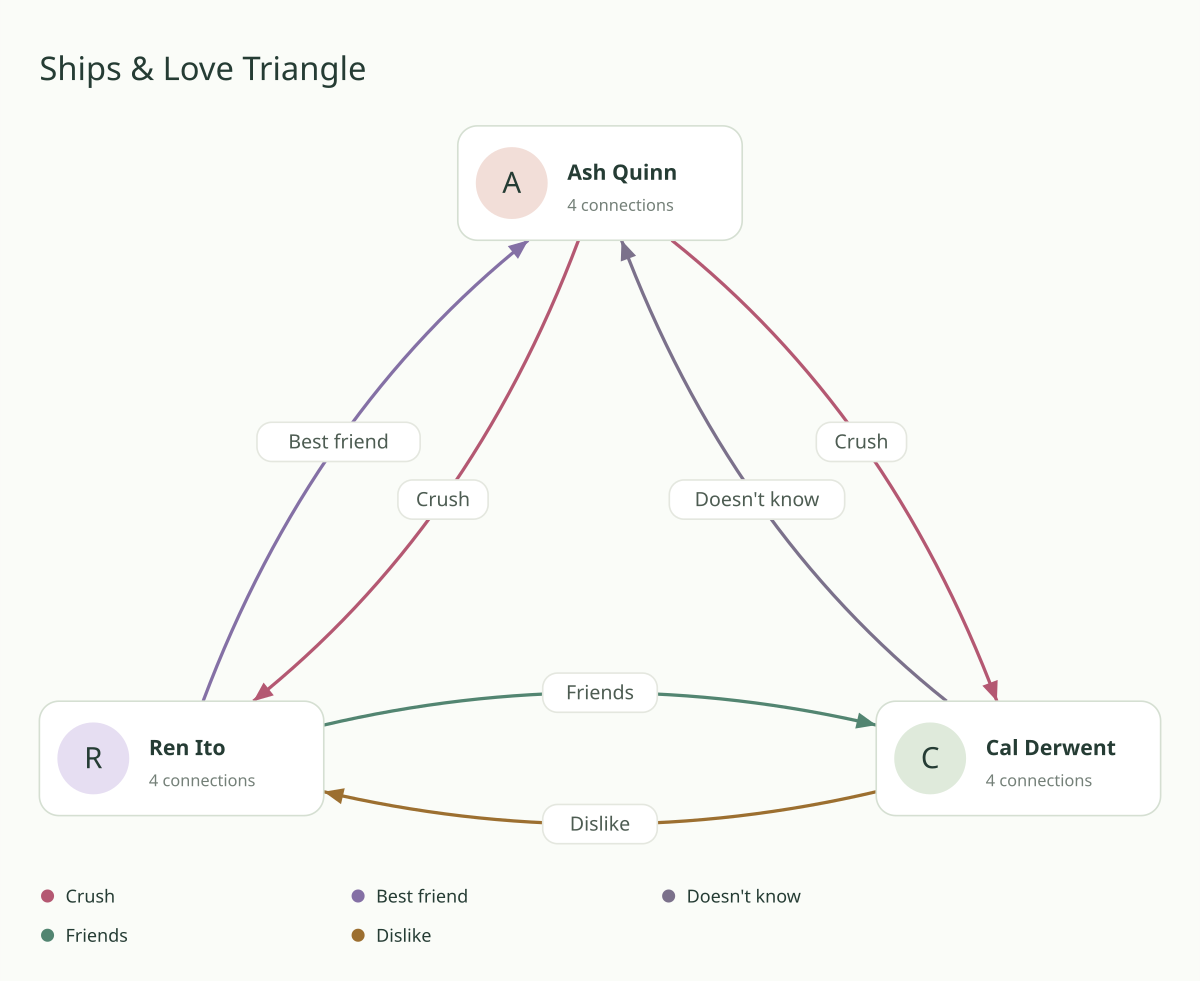
Love Triangle Diagram & Ship Chart Template
Open the ship chart when you are deciding a romance and the feelings do not match. A love triangle is often a crush against a friendship, or a person who has not noticed, rather than three people who all want each other. The template gives you three characters and both directions of every pair, so you can see which ship is mutual before you add a fourth person.
Open the love triangle diagram, or use this layout as a shipping chart.
Open in the editor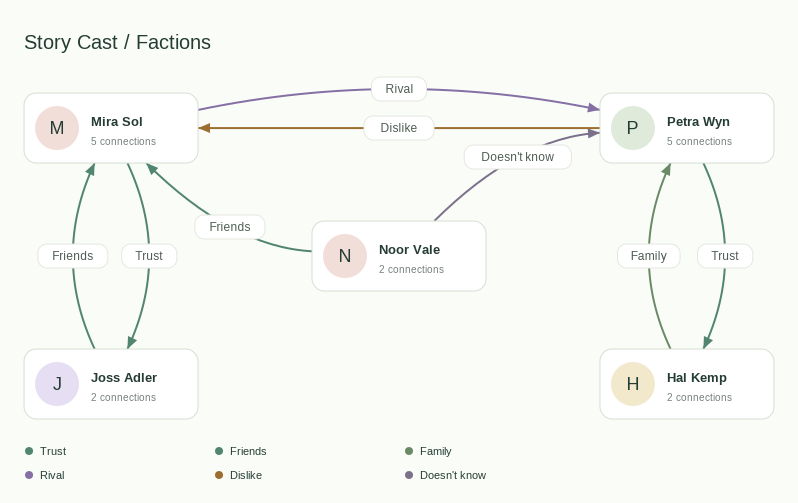 Save PNG
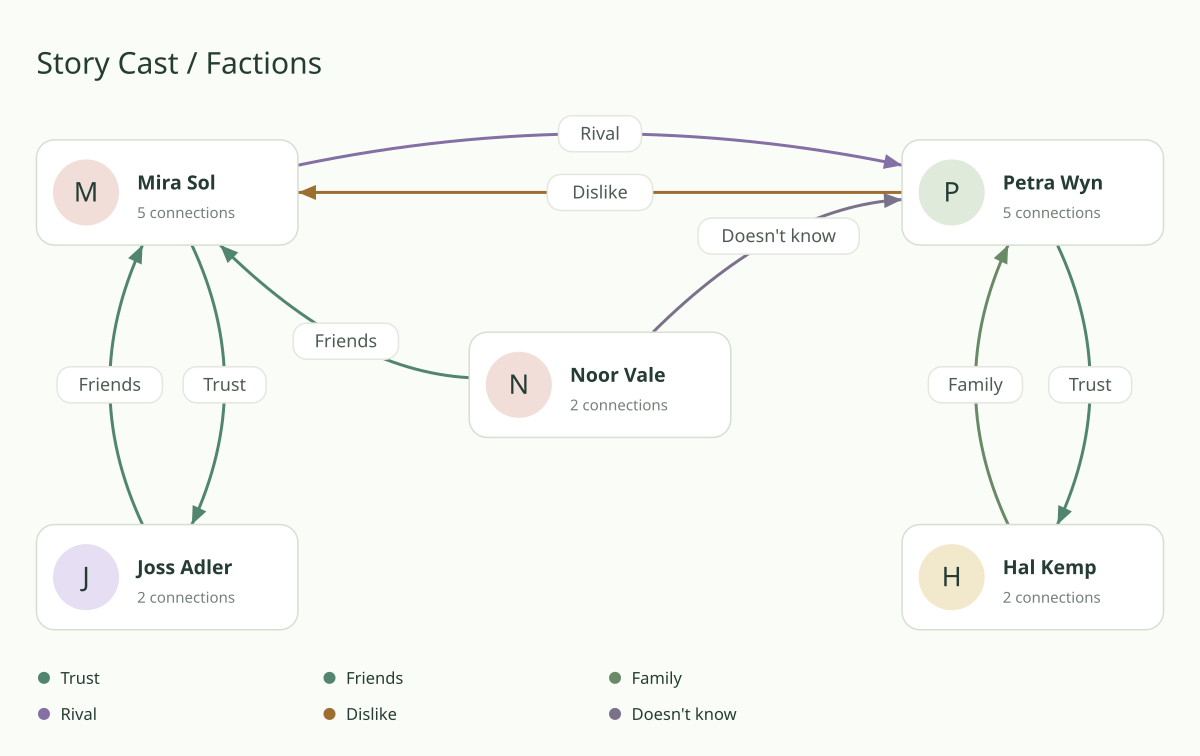
Character Relationship Chart Template: Story Cast & Factions
Open the story-cast chart when the cast has sides and you need the loyalties visible: a court, a crew, two families, or the factions in a game. It places a pair on the left, a pair on the right, and one person in the gap. Label the bonds inside each side before you draw the rivalry across it, or the picture becomes a crowd of names with no conflict you can point to.
Open in the editor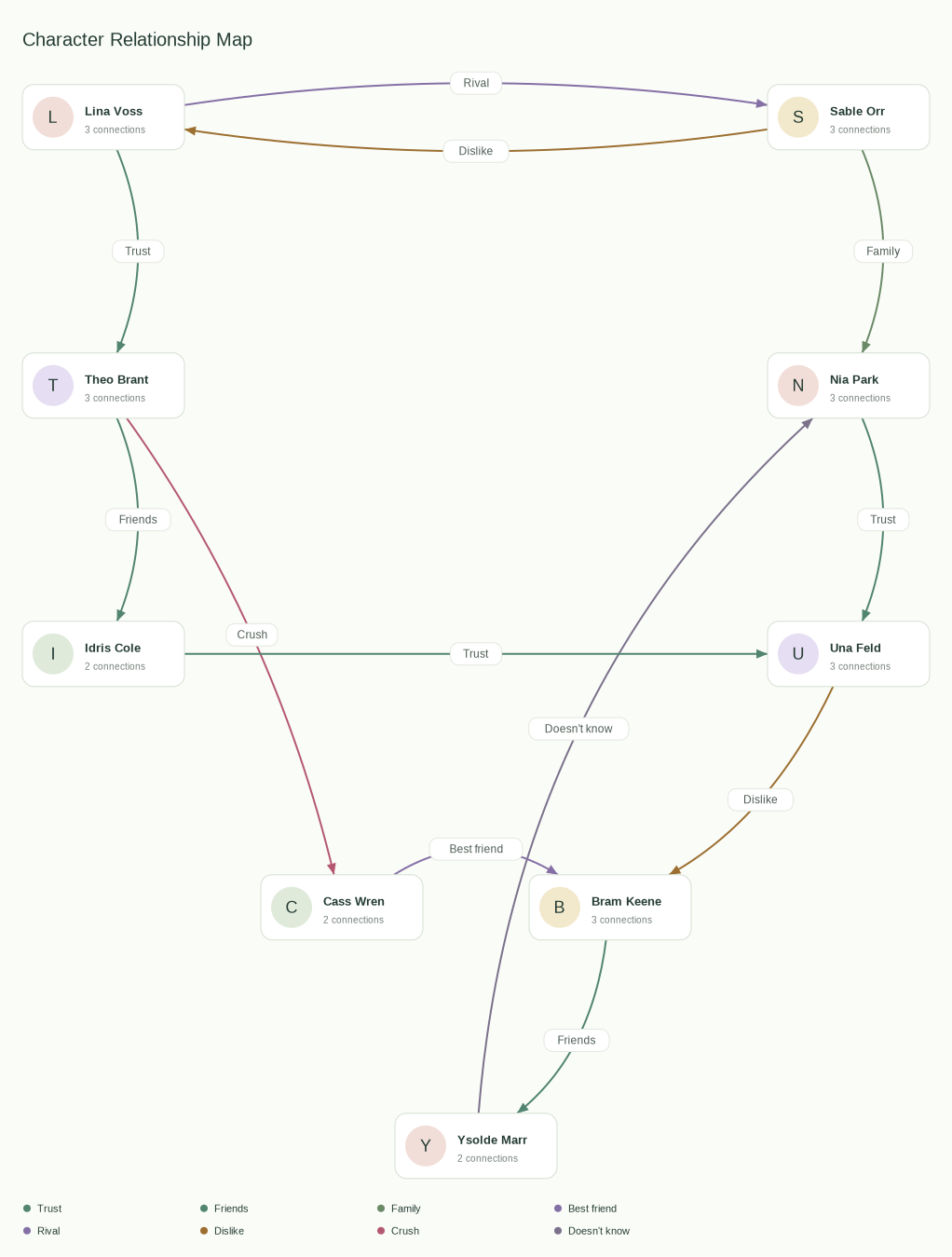 Save PNG
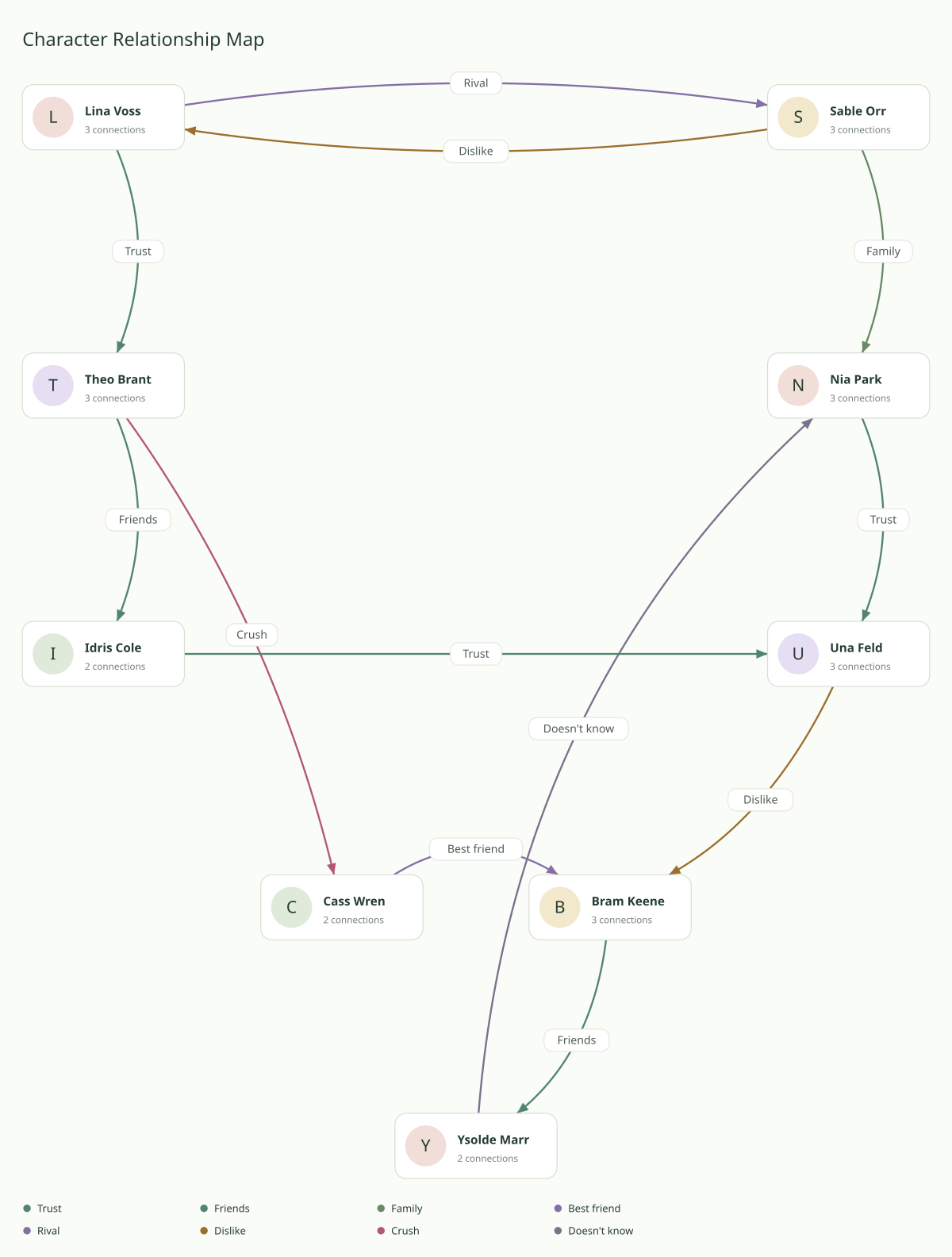
Character Relationship Map Template
Open this map when the cast has already split into groups and you need the ties between those groups, not only the ties inside them. It fits a court and the houses around it, a crew and the port that feeds it, or any story where someone in one cluster wants, trusts, or resents someone in another. Start here when two factions are too few and a single circle around one OC would hide the sides.
Open in the editor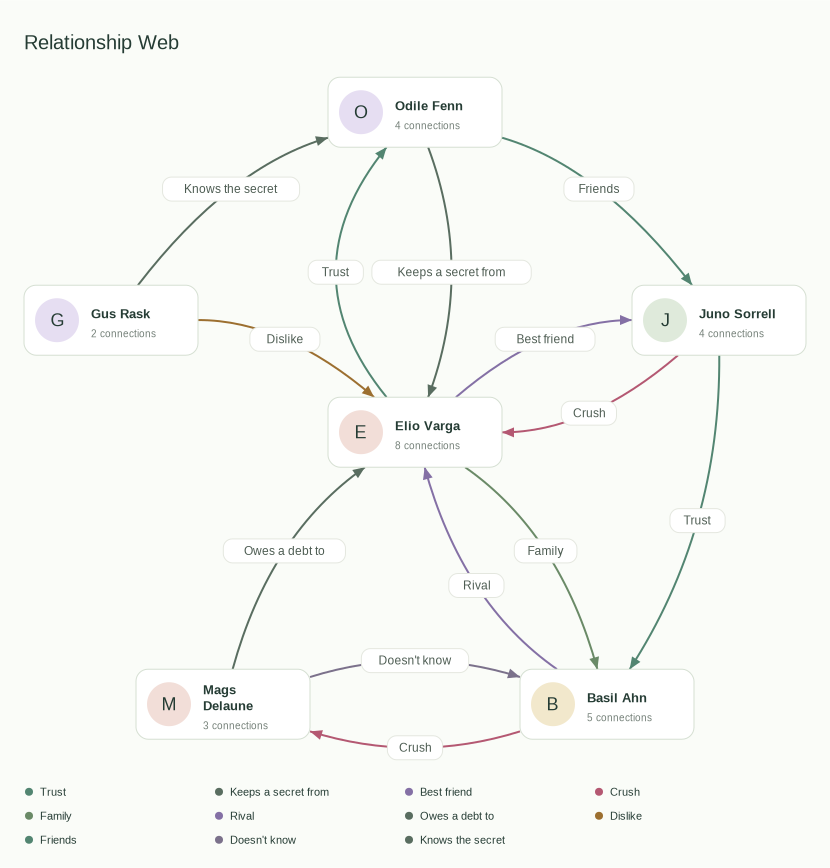 Save PNG
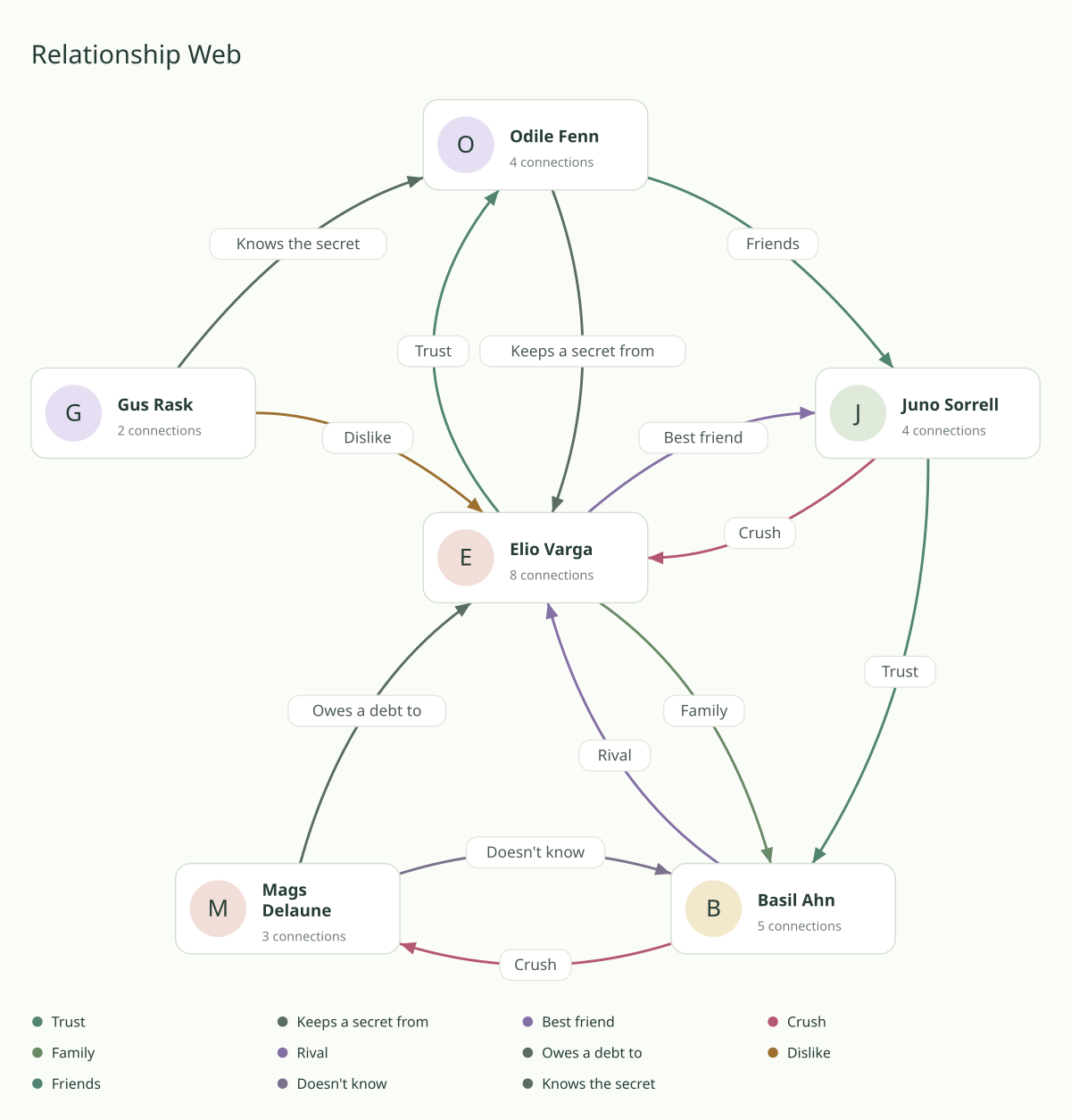
Relationship Web Template
Open this web when one person sits in the middle and the people around them also have ties to each other. A hub of spokes leaves those side relationships out. Use this template when a one-way arrow between two side characters would change the story.
Open in the editor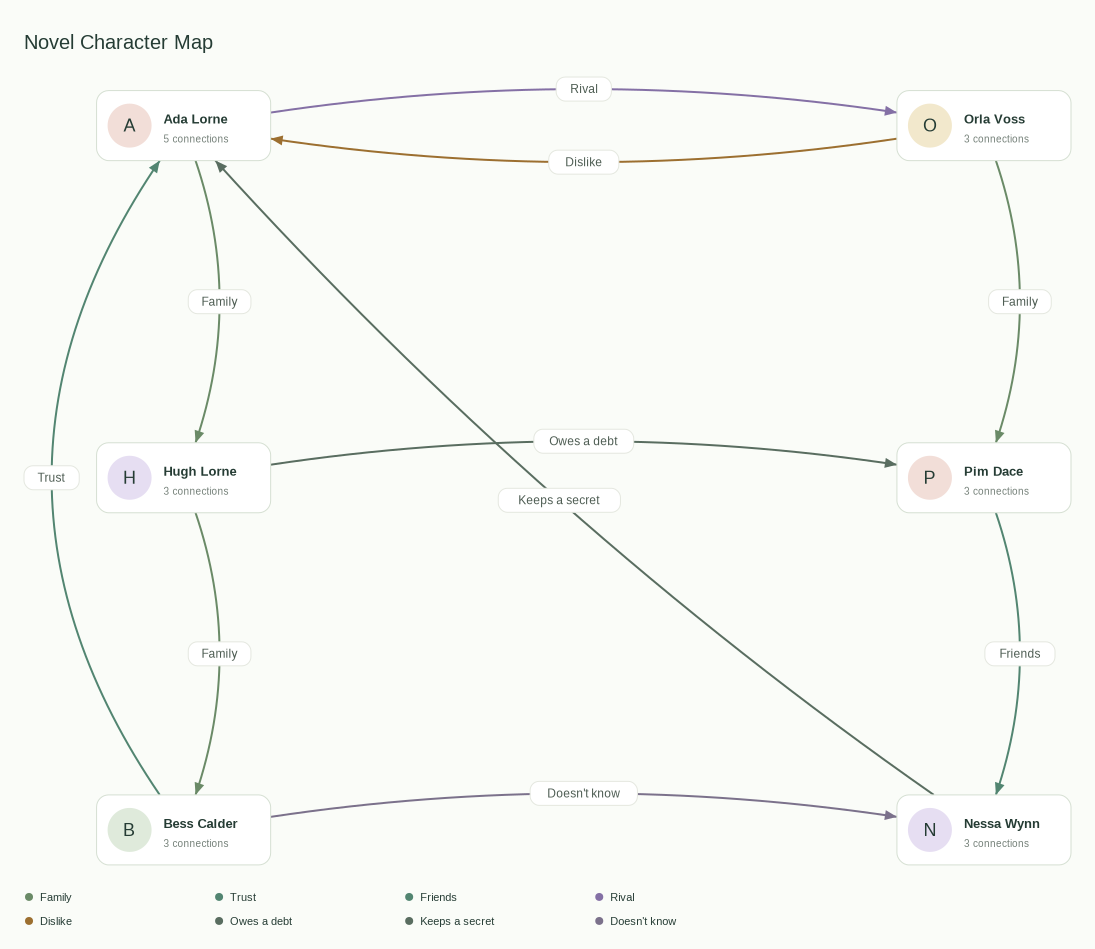 Save PNG
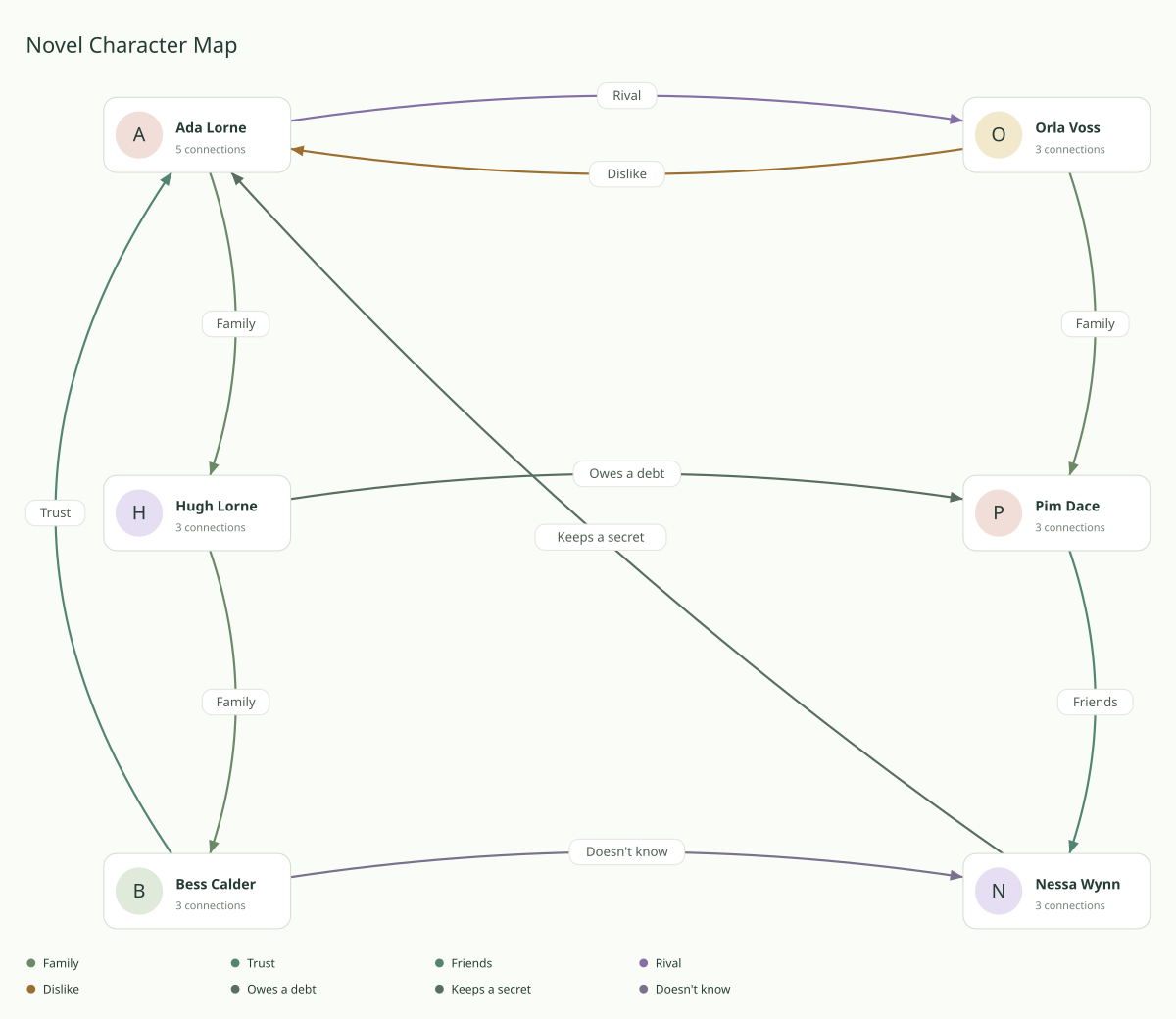
Novel Character Map Template
Open this map when a book has a household and a rival group and you need both on one page. It draws family ties inside each group and the rivalry, debt, and secret that cross the gap. Use it while drafting, or when you are writing notes on a book you are reading.
Open in the editor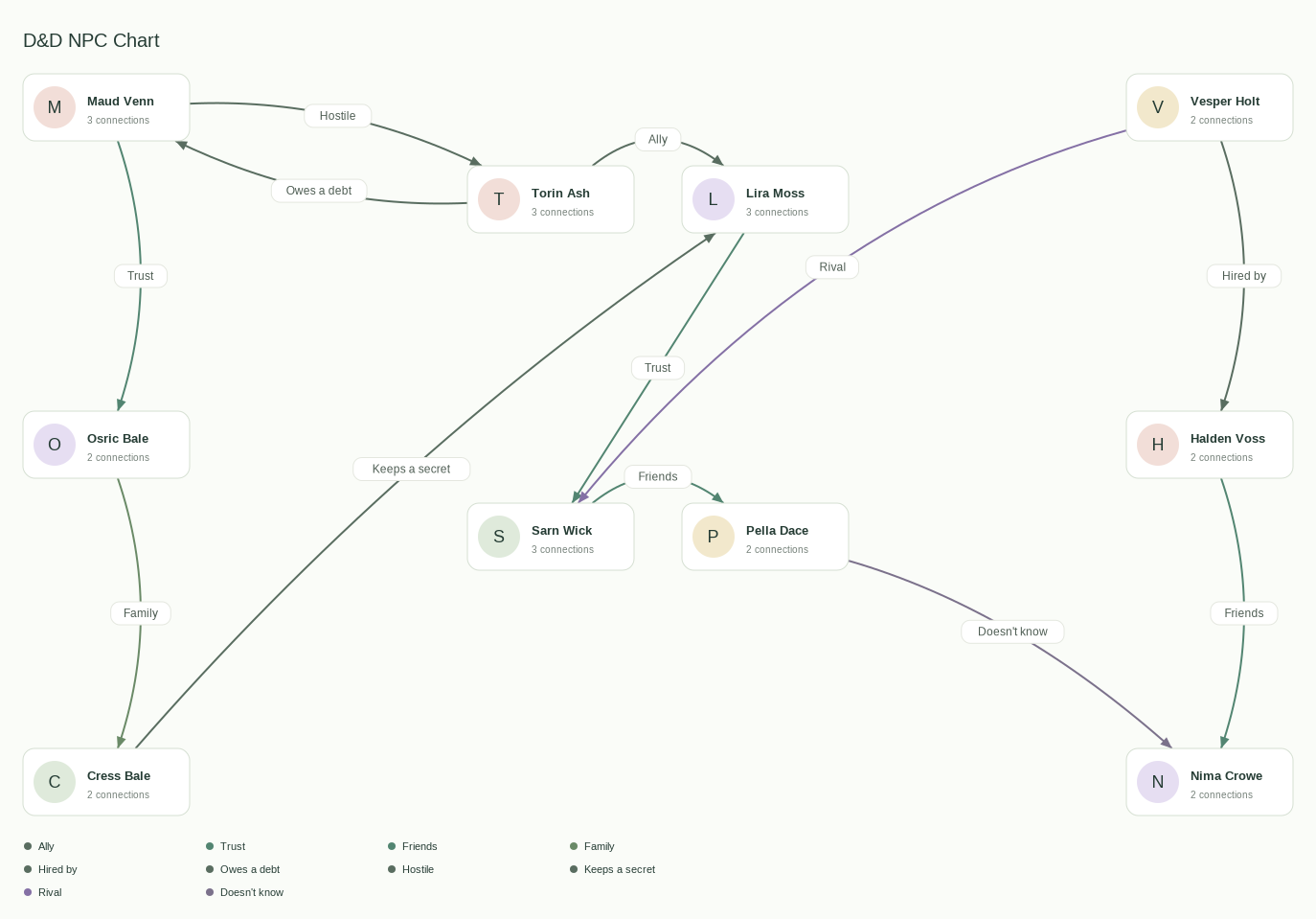 Save PNG
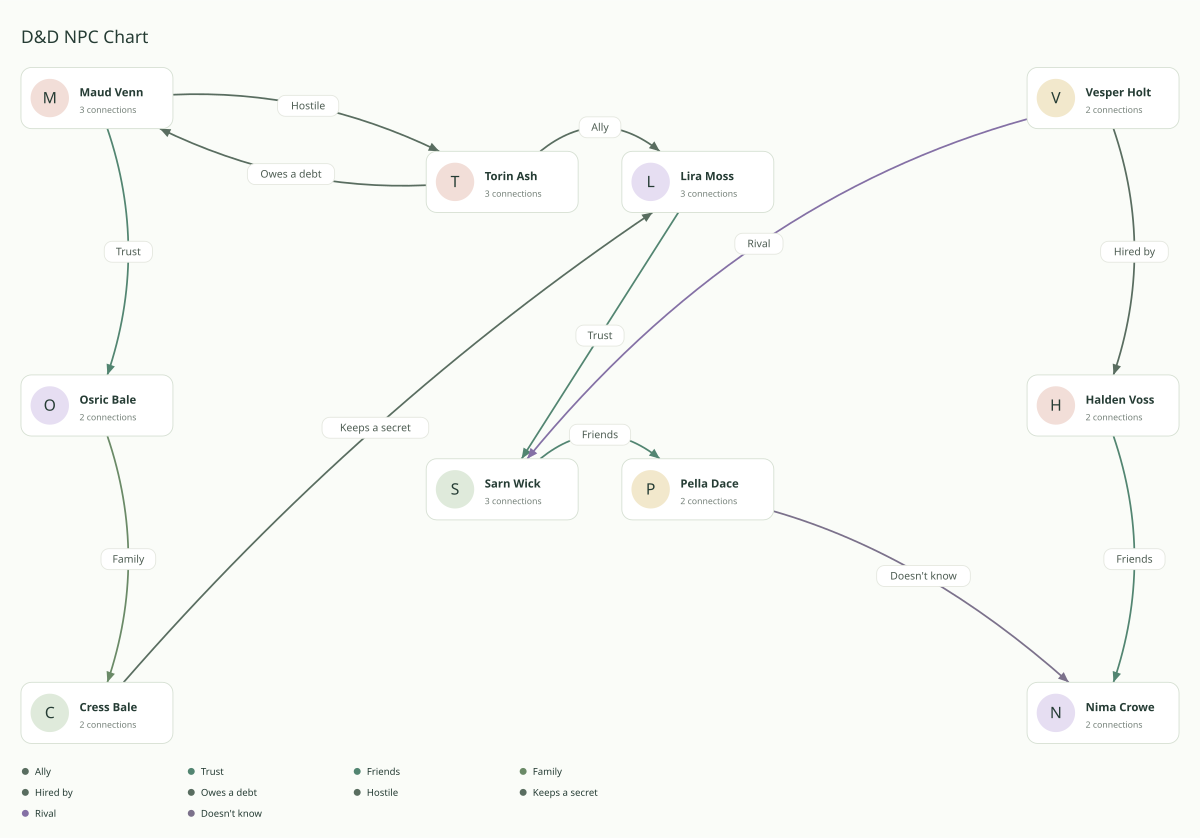
D&D NPC Relationship Chart Template
Open this chart when a session has a party and the NPCs around that party. It places four player characters between two NPC camps, with labels for an ally, a debt, a hostile tie, a secret, and someone who was hired. Use it for campaign prep, a player's NPC notes, or a one-shot that needs the table to see who wants what.
Open in the editor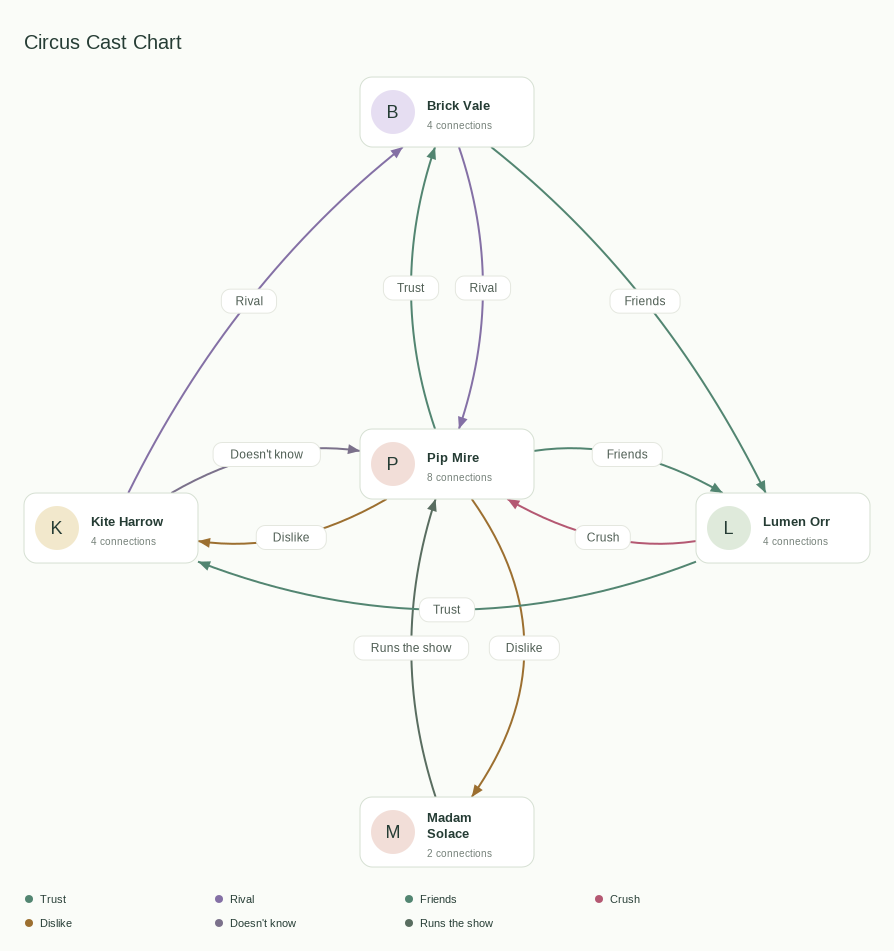 Save PNG
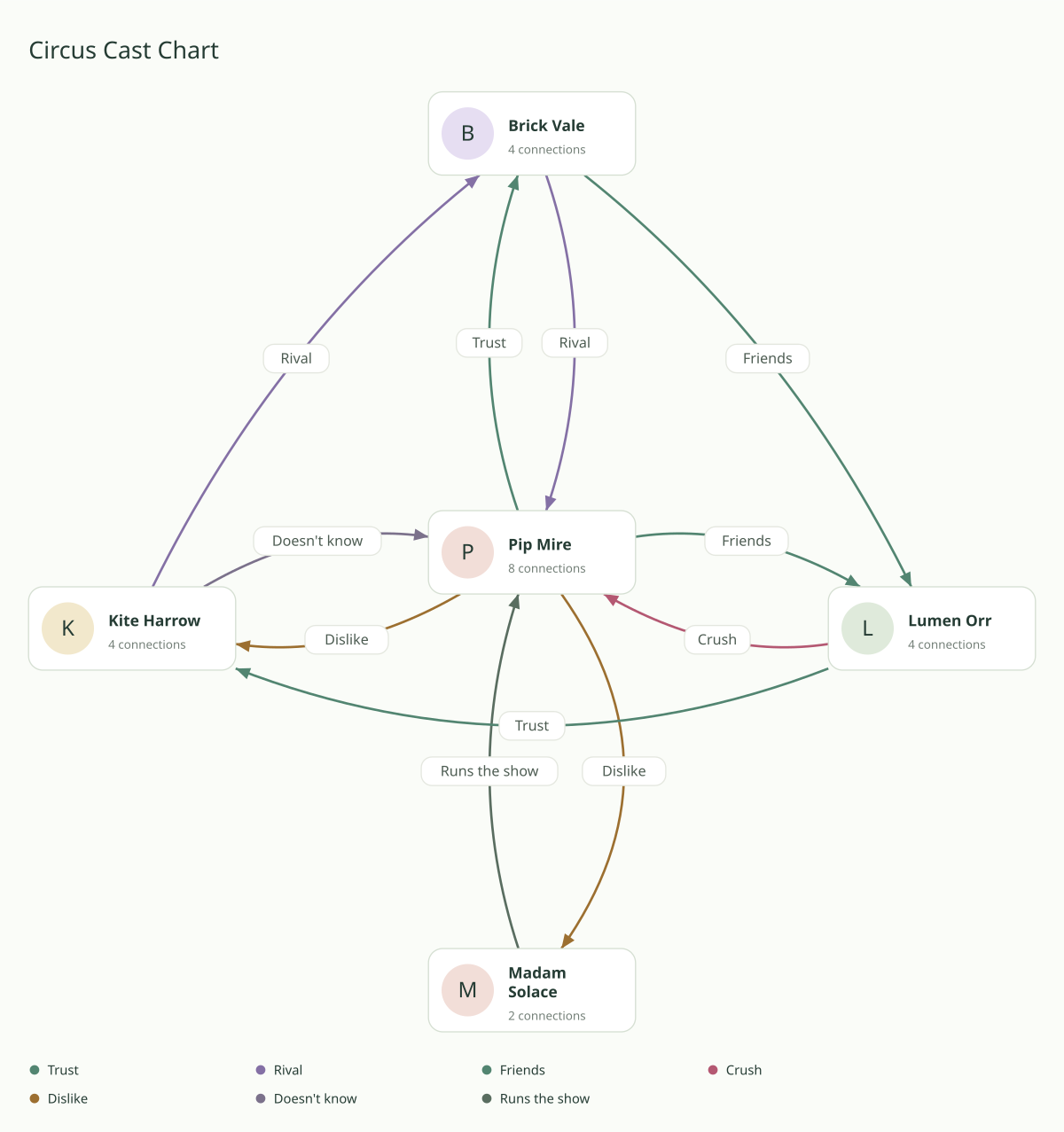
TADC Relationship Chart Template
Open this chart when you are mapping a circus or show cast like a TADC relationship chart: one performer everyone touches, a rival, a crush that is not returned, and a host who runs the show. Stay on the love triangle if you only need three people. Use the relationship web when the cast is larger and the outer ring does more of the work.
Open in the editor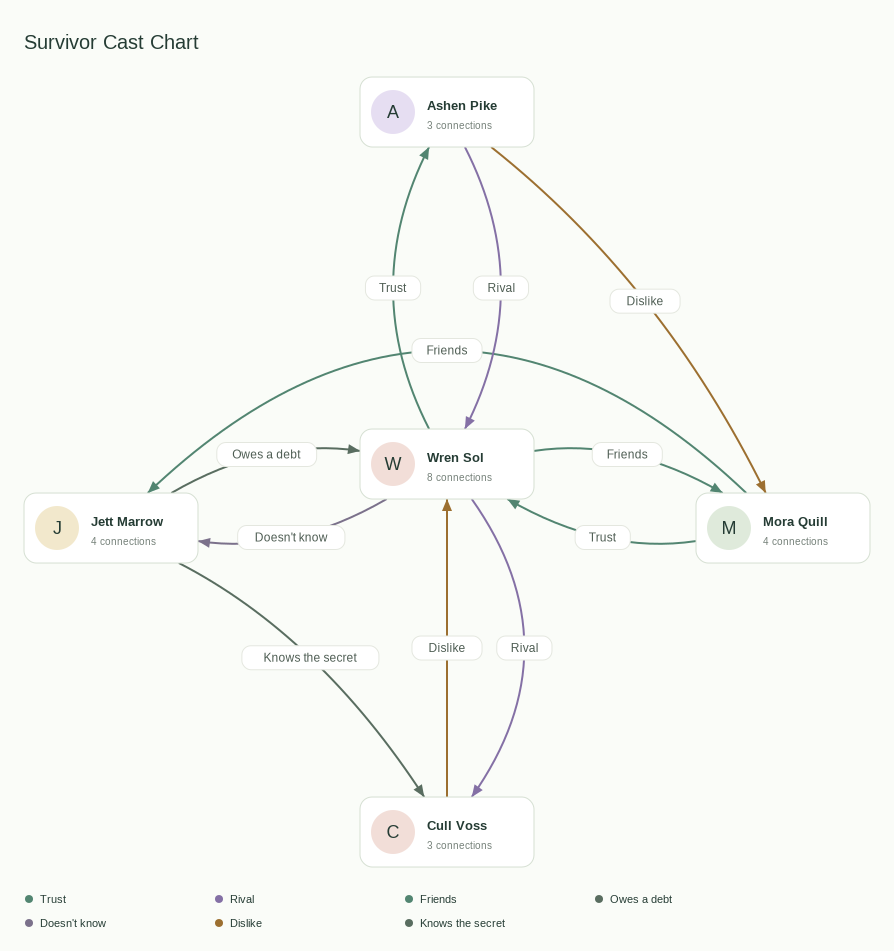 Save PNG
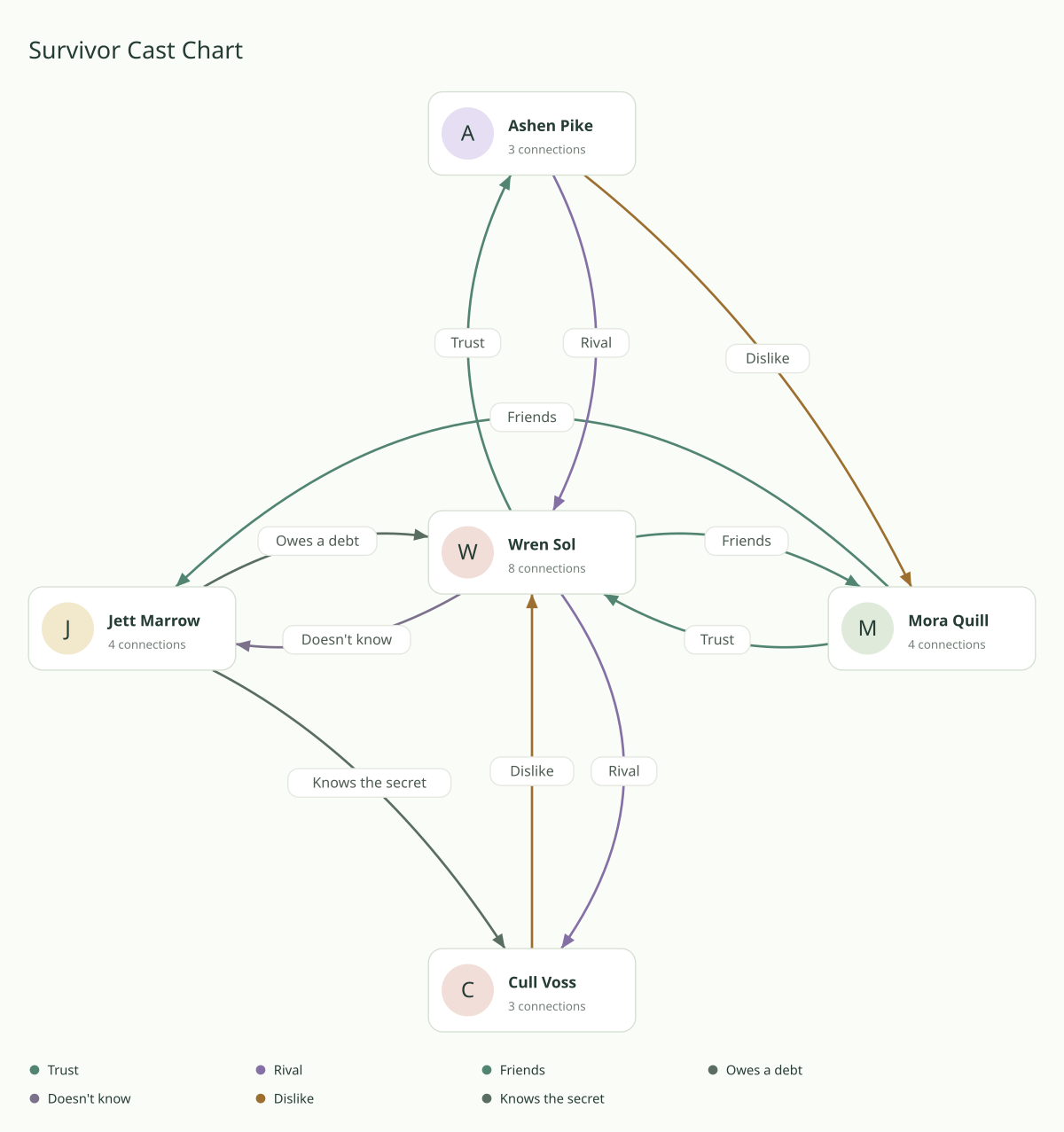
Forsaken Relationship Chart Template
Open this chart when a Forsaken relationship chart is what you searched for: one survivor everyone orbits, a rival who still gets trust, a debt, and a secret that moves on the outer ring. Use the story cast template when the conflict is two clear camps. Use the relationship web when the cast is larger than five.
Open in the editor
What you get
These templates are free to open and edit. Export downloads a PNG or an SVG of the chart, without a watermark. Paste that image into a document or into manuscript notes. The file is a picture.
Names, images, and relationships stay in this browser. They are not sent to a server. You do not need an account.
Click Open in the editor, then rename the characters and rewrite the arrow labels. The chart stays in this browser after you close the tab. It does not move to another device on its own, so export a PNG or SVG when you want a copy to take with you. Read the step-by-step guide for saving and export.
Questions about these templates
- Do I need an account?
- No. You do not need an account. Names, images, and relationships stay in this browser and are not sent to a server.
- Is it free, and is there a watermark on the export?
- It is free to open, edit, and export. Download PNG and Download SVG save the chart without a watermark.
- How do I save and reopen a chart?
- The editor stores the chart in this browser as you work. Close the tab and open RelationCanvas again in the same browser to continue. Another browser or device does not have that copy. From the File menu, choose Download project file, then Import project where you want to keep editing.
- Can I use the PNG in a document?
- Yes. Paste the PNG into a document or into manuscript notes. It is an image. The editor cannot reopen that PNG to change a label, so keep the project file if you still need to edit the chart.
- Can I use these templates commercially?
- Yes for your own characters and story materials. You keep the names, pictures, and labels you add. Export is free and without a watermark. Do not present the starter cards as licensed art from someone else's show or game.
You can compare six chart makers side by side.
The mute MP4 unlock is separate from these free templates; see the animated relationship chart maker and Pricing.
The editor also offers Adventure Party, Story Family and Start blank as starting points.